Real drawing videos
See short demos from @howtodrawapp showing AR tracing, drawing projector workflows, photo-to-sketch practice, anime sketches, and paper drawing setup.
New drawing guide
A practical phone-and-paper tutorial covering a stable setup, overlay calibration, cleaner line control, troubleshooting, and the best way to turn tracing into freehand practice.
Everything beginners search for in one drawing app: tracing, projector mode, AI sketch ideas, tutorials, and coloring practice.
Learn drawing fundamentals with beginner-friendly tutorials for animals, anime, portraits, tattoos, and everyday sketches.
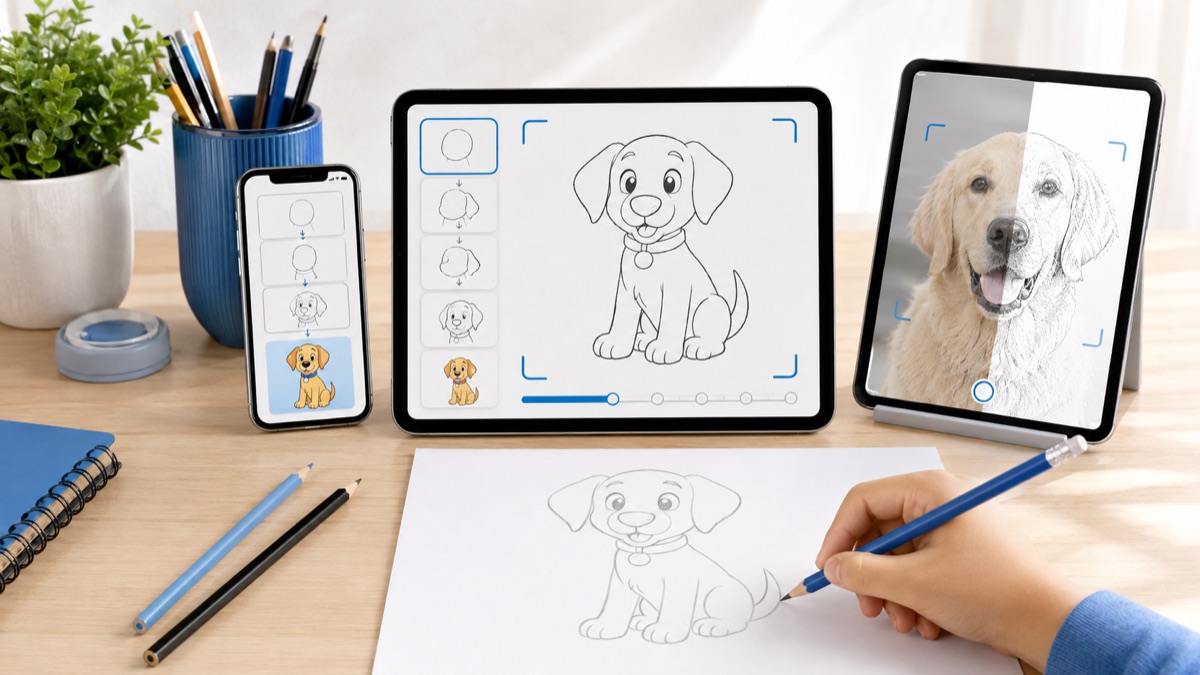
Use your phone camera as an AR drawing projector to trace pictures on paper with better proportions and cleaner lines.
Relax and express yourself with our vast collection of coloring pages. Customize your palette and add your unique touch.
Discover our app's functionality and design through a curated selection of screenshots.
Whether you're just starting out or need advanced features, we have a plan for you.
How to Draw helps new artists start with simple shapes, outlines, and guided practice. Open a drawing lesson, follow the sketch, and use projector mode when you want extra accuracy on paper.
Convert photos into clean sketch references, remove backgrounds, create stickers, and generate drawing ideas with AI. It is built for people searching for a photo sketch app that still teaches real drawing skills.
Project a reference through your camera, place your phone above paper, and trace the outline at the right scale. This is the core use case for drawing projector, tracing app, and camera lucida searches.
The app includes categories people actively search for: how to draw anime, animal drawing, tattoo drawing, cute sketches, food drawings, people, vehicles, flowers, and coloring pages.
Start free on the App Store and practice with step-by-step lessons, AR tracing, photo to sketch tools, coloring pages, and shareable drawing recordings.